Cloud, Security & IT
Cloud Migration: AWS, Azure & Google Cloud
Digitexa AI moves small and mid-sized businesses from shared hosting, ageing servers and office file shares to AWS, Azure or Google Cloud, with a clear plan, minimal downtime, tested backups and running costs you can predict.
What is cloud migration?
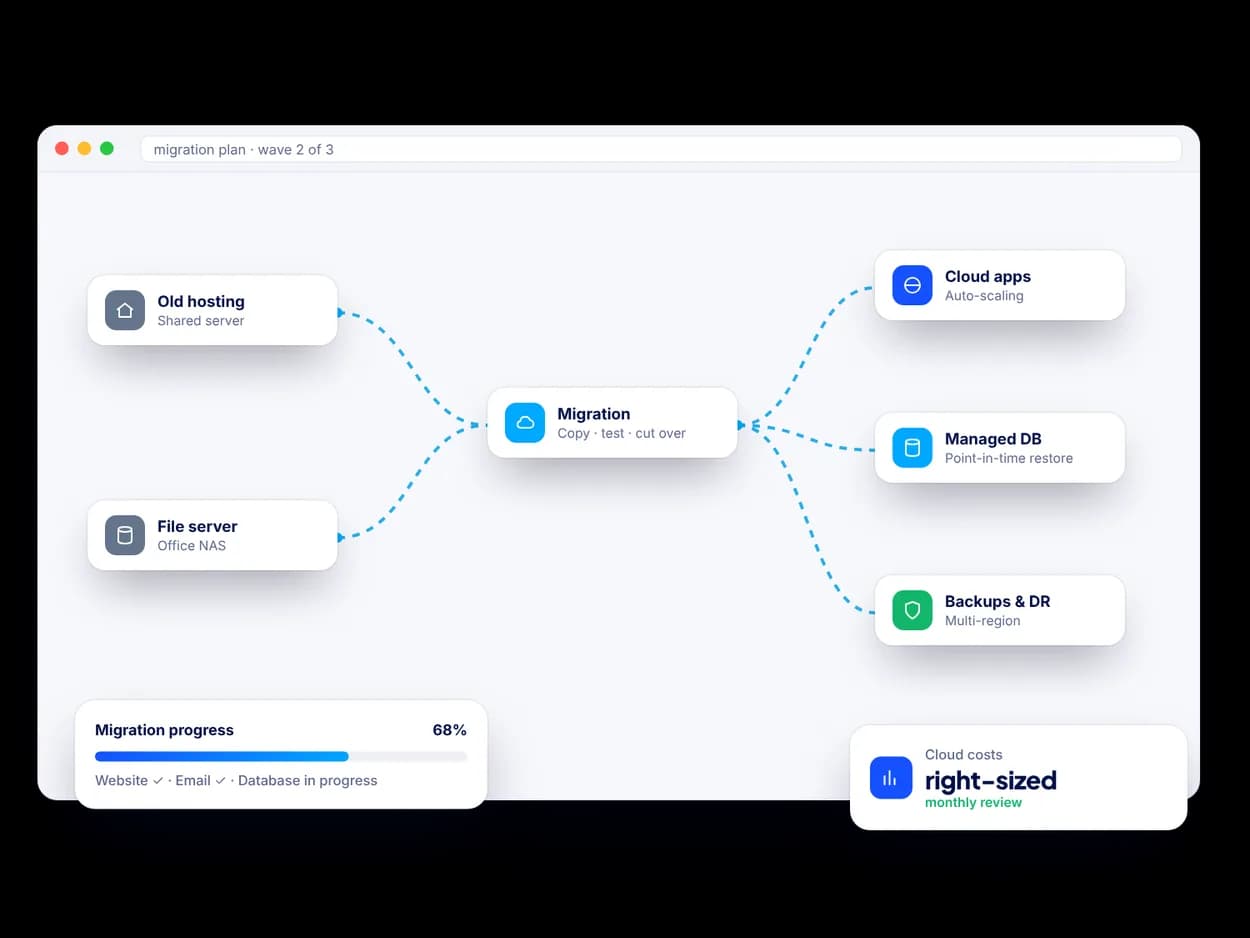
Cloud migration is the process of moving your websites, applications, databases and files from shared hosting, a single rented server or equipment in your office to a cloud provider such as Amazon Web Services (AWS), Microsoft Azure or Google Cloud. Done well, it gives you better reliability, proper backups and room to grow, without paying for hardware you do not use.
What can Digitexa AI migrate to the cloud?
- Websites and CMS platforms such as WordPress, Drupal and custom PHP or Node.js sites, moved off shared hosting.
- Web and business applications, including legacy apps that need light changes to run well in the cloud.
- Databases (MySQL, PostgreSQL, SQL Server) moved to managed services like Amazon RDS, Azure SQL or Cloud SQL.
- File servers and shared drives moved to cloud storage, SharePoint or Google Drive with permissions preserved.
- Email and DNS moved carefully so messages and domains keep working during the switch.
How does the migration process work?
- Assessment: we inventory what you run today, how it connects and what it costs.
- Plan and estimate: a written migration plan with the target architecture, cutover approach and expected monthly cloud costs.
- Build the landing zone: accounts, networking, security baselines and backups set up in your name.
- Migrate and test: we copy data, run the new environment in parallel and test before switching traffic.
- Cutover and hand-over: a scheduled switch, often outside your business hours, followed by documentation and a review of costs.
How do you keep cloud costs under control?
We right-size servers from real usage, use managed services where they cost less to run, set budgets and alerts, and switch off what you do not need. After launch we review the bill with you and suggest savings such as reserved capacity or storage tiering where they make sense.
What about backups and disaster recovery?
Every migration includes automated backups and a written recovery plan. We agree how much data you can afford to lose and how quickly you need to be back online, then design backups, snapshots and, where needed, a secondary region to match. We also run a test restore so you know recovery works.
How is this different from cloud hosting and DevOps?
Cloud migration is the one-time move. Once you are in the cloud, our Cloud & DevOps service looks after day-to-day hosting, CI/CD pipelines and monitoring. Many clients start with a migration and continue with ongoing support through managed IT and application support.
Ready to talk? Tell us about your project and a senior engineer will reply with next steps, questions and a suggested approach.
Cloud Migration: AWS, Azure & Google Cloud: FAQs
Which cloud provider is best for a small business: AWS, Azure or Google Cloud?
All three are reliable, so the right choice usually depends on what you already use. Businesses on Microsoft 365 often lean towards Azure, Google Workspace users towards Google Cloud, and AWS suits a wide range of web applications. We recommend a provider after reviewing your systems, skills and budget.
Will my website or app go offline during a cloud migration?
Most migrations can be planned with little or no visible downtime. We run the new environment in parallel, test it, and switch traffic at a quiet time, with a rollback plan ready if anything unexpected happens.
Is the cloud more expensive than shared hosting or our own server?
It can be cheaper or more expensive depending on how it is set up. Right-sized servers, managed services, budgets and alerts keep costs predictable, and we give you an estimate of monthly running costs before the migration starts.
How long does a cloud migration take?
A single website can often move within days, while several applications, databases and file shares take longer. The timeline depends on scope, data volumes and testing needs, and we confirm it in the written migration plan.